Connect with SFTP / SCP (SSH)
Besides the original's FTP and FTPS, FFFTP Mac supports SFTP and SCP (Mac only). If you can log in to a server with SSH, you can transfer files even when no FTP server is running.
1. Choose the protocol
Choose it with Protocol at the bottom of the General tab of Host Setting.
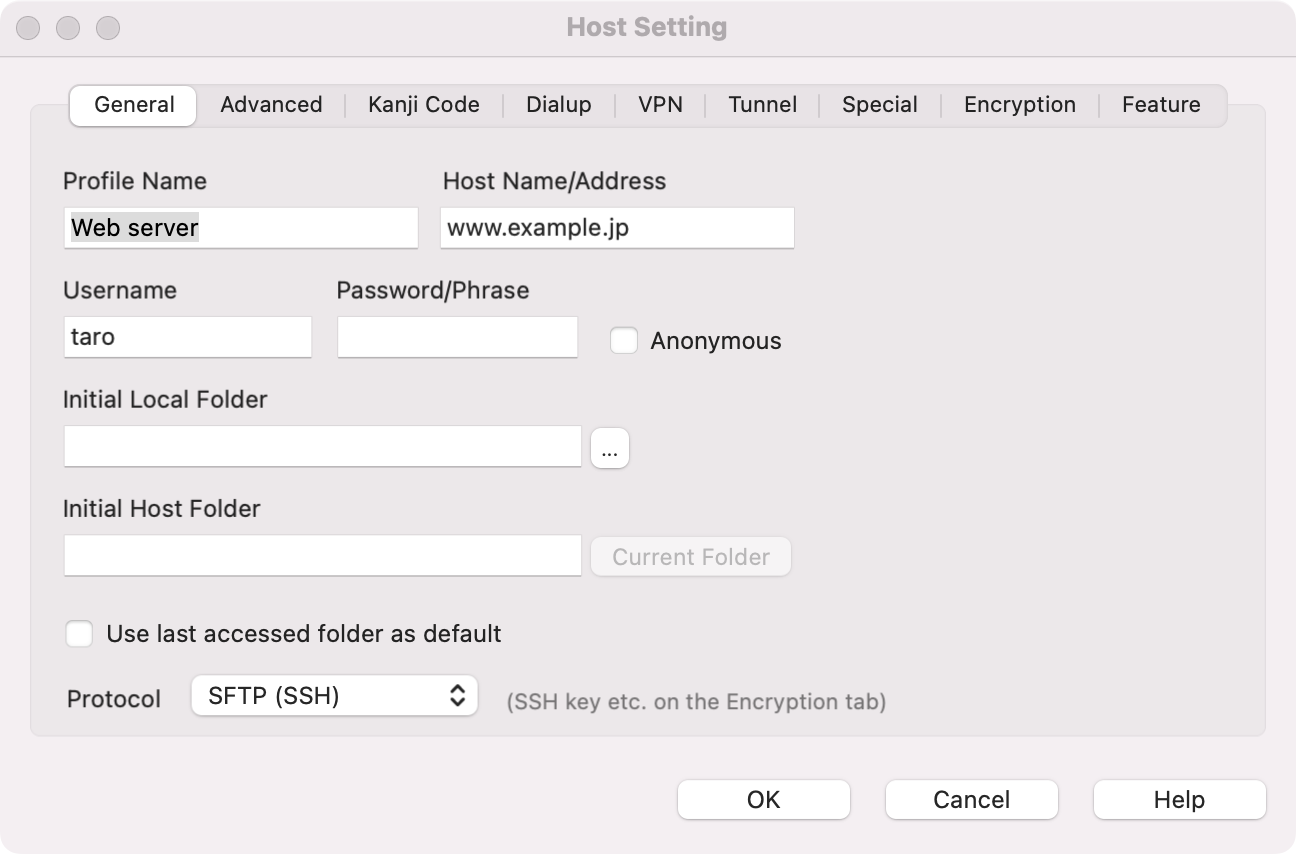
- Auto (default): connects with FTP / FTPS first; if there is no FTP server, uses SFTP, then SCP. Usually leave it as it is.
- FTP / FTPS: FTP only, as in the original.
- SFTP (SSH): SFTP only. Works with most SSH servers.
- SCP (SSH): for servers without SFTP.
The port is "Port" on the Advanced tab. If it is left at 21, the SSH port 22 is used.
2. Logging in with a key
Set the key file in SSH private key on the Encryption tab; the … button chooses it. "Connection" on the same tab is the same setting as Protocol on the General tab.
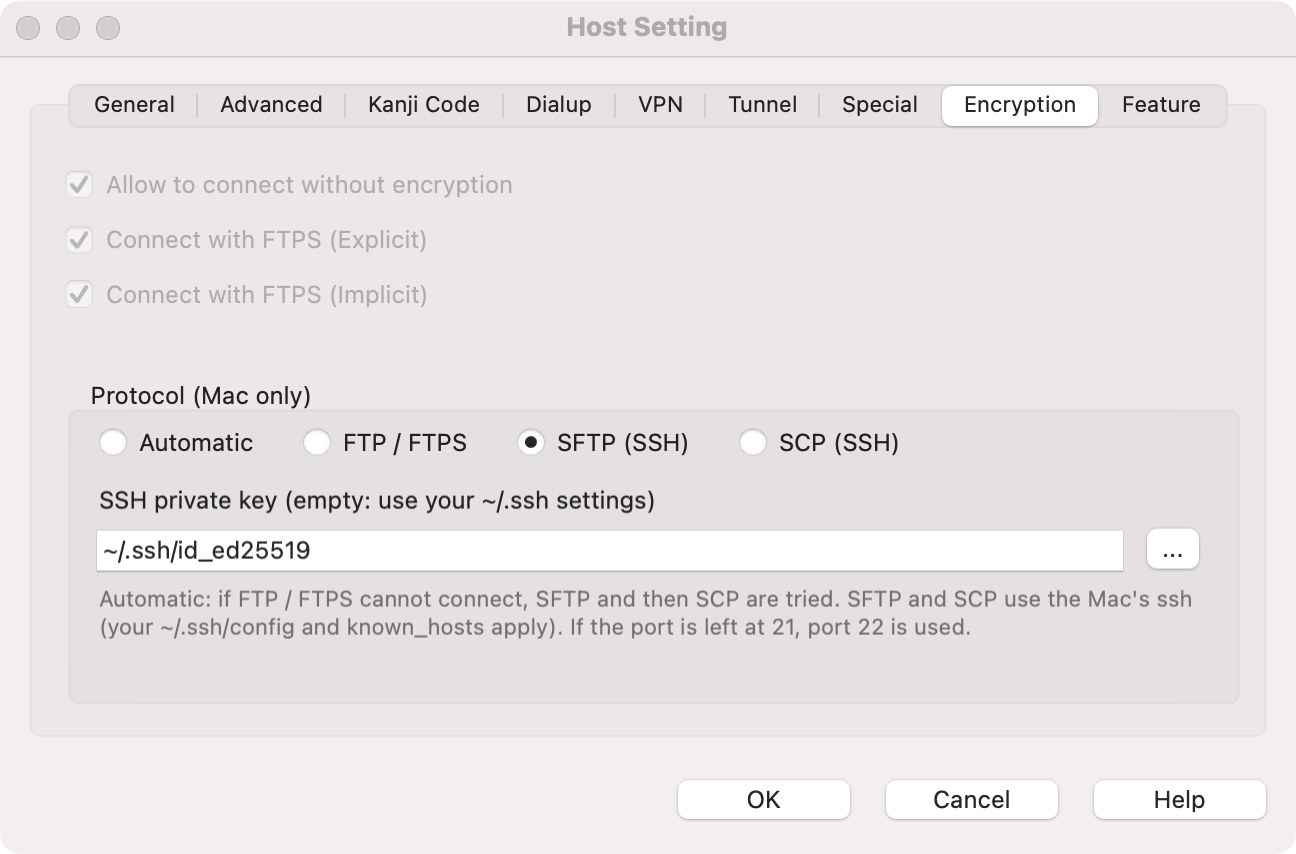
If it is empty, your usual ssh settings (~/.ssh/config, ssh-agent, ~/.ssh/id_ed25519 and so on) are used as in Terminal. To log in with a password, enter it in "Password/Passphrase" on the General tab.
3. The first connection
The first time you connect to a server, you are asked to check its host key (fingerprint). If it matches the fingerprint from the server's administrator, click Trust and Connect.
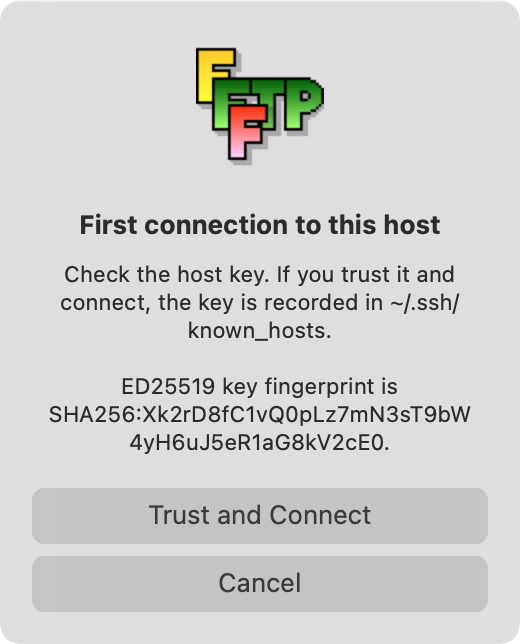
The key is recorded in ~/.ssh/known_hosts and you are not asked again. If your key has a passphrase or the server asks for a one-time code, you are asked on the spot.
What works
- Transfers, mirroring, renaming, deleting, changing attributes and resume work as with FTP.
- In Quick Connect you can enter
sftp://user@host/folderorscp://…. - "Enter Command" in the Command menu runs the command in the server's shell and shows the result in the task window.
Connecting with FTP through an SSH tunnel (jump host)
An FTP server that cannot be reached directly from outside (inside an office network, for example) can be reached through a server you can log in to with SSH (a jump host). This is a Mac-only feature. Set it on the Tunnel tab of the host settings.
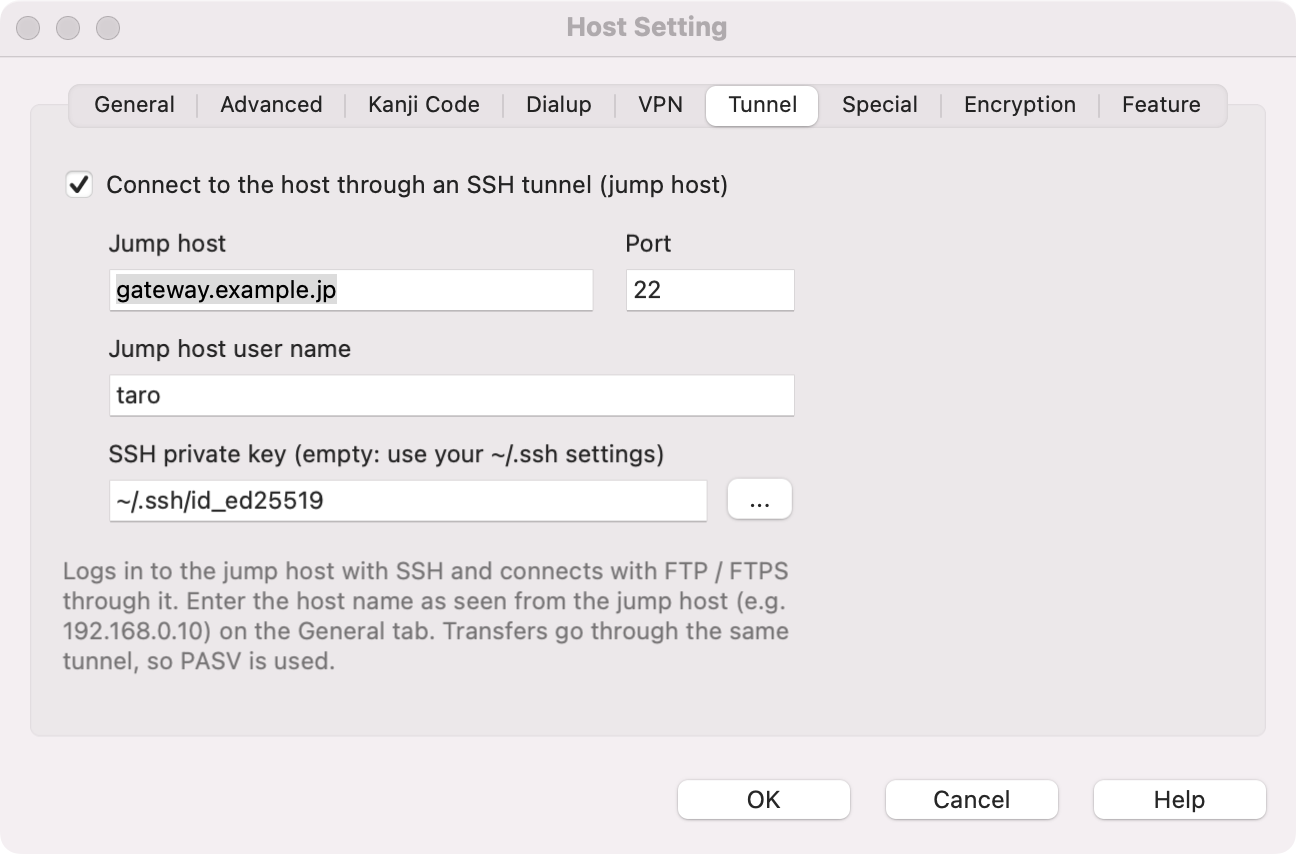
- Turn on "Connect to the host through an SSH tunnel (jump host)".
- Enter the jump host's name, port (usually 22) and user name. To log in with a key, also set the private key (empty: your ~/.ssh settings are used).
- On the General tab, enter the FTP server's name as seen from the jump host (e.g.
192.168.0.10). A name used only inside the network works too.
When you connect, FFFTP Mac logs in to the jump host with SSH and connects with FTP / FTPS through it. You are asked for the jump host's password or key passphrase at that time. Disconnecting also closes the tunnel.
- File lists and transfers go through the same tunnel, so PASV is used (even if "Use PASV mode" on the Advanced tab is off).
- When several connections are used at once (with more simultaneous connections, for example), you log in to the jump host only once.
- SFTP and SCP already use SSH, so the tunnel is not used with them (the Tunnel tab is grayed out).